

A charging setup works best when it suits the devices you actually use. Before choosing a station, look at the laptop, phone, tablet and smaller accessories that need a place on your desk. The aim is a comfortable daily routine, with the right connections ready when you need them.
Start with your laptop connection
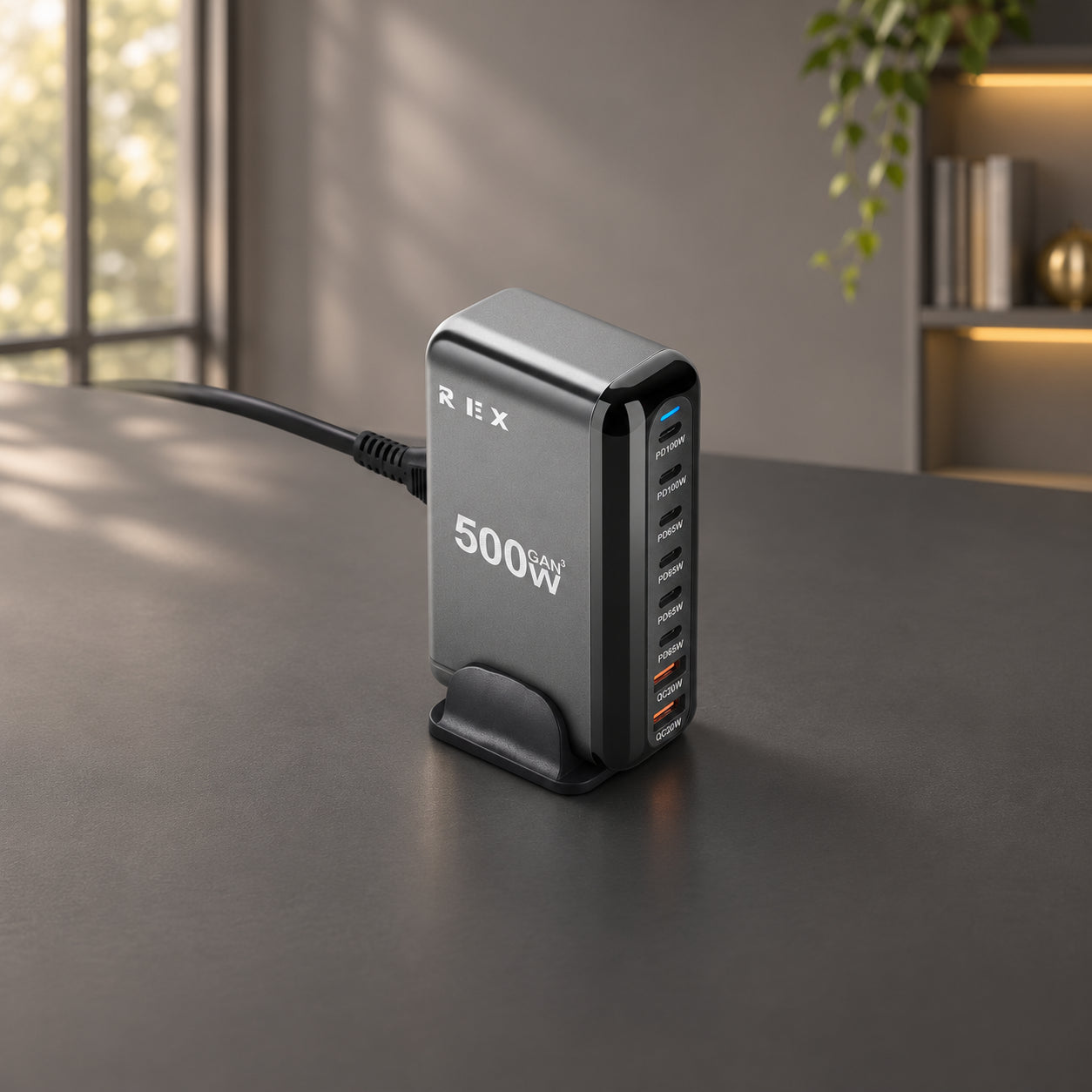
Check whether your laptop supports USB-C charging and the power its manufacturer recommends. The REX 500W desktop charging station lists two USB-C ports rated up to 100W each and four further USB-C ports rated up to 65W each. Match the port to your device and use a suitably rated cable. The listed 500W figure is the maximum combined output, not the output of one socket.
Give everyday devices a convenient place
Six USB-C and two USB-A ports provide connection choices for compatible phones, tablets and accessories. Position the upright charger where cables can reach naturally, with ventilation around the unit. Route leads so they do not pull on your devices or interfere with your workspace. Your connected devices, cables and ports in use determine actual charging performance.
Choose cables around your routine
A short connection can suit a nearby charger; extra length helps when a device needs more room. The REX 100W USB-C cable is an option for compatible higher-power USB-C charging. Check the available length and your device requirements before buying.
Build your setup
View the REX desktop charging station, review its current details and choose Add to cart. You can add a suitable cable separately, then continue to checkout. REX aims to give customers useful charging products and honest value for their money.